Strategy
Convert PDF to Online Training Course: A Practical Guide for HR Teams
09. 07. 2026
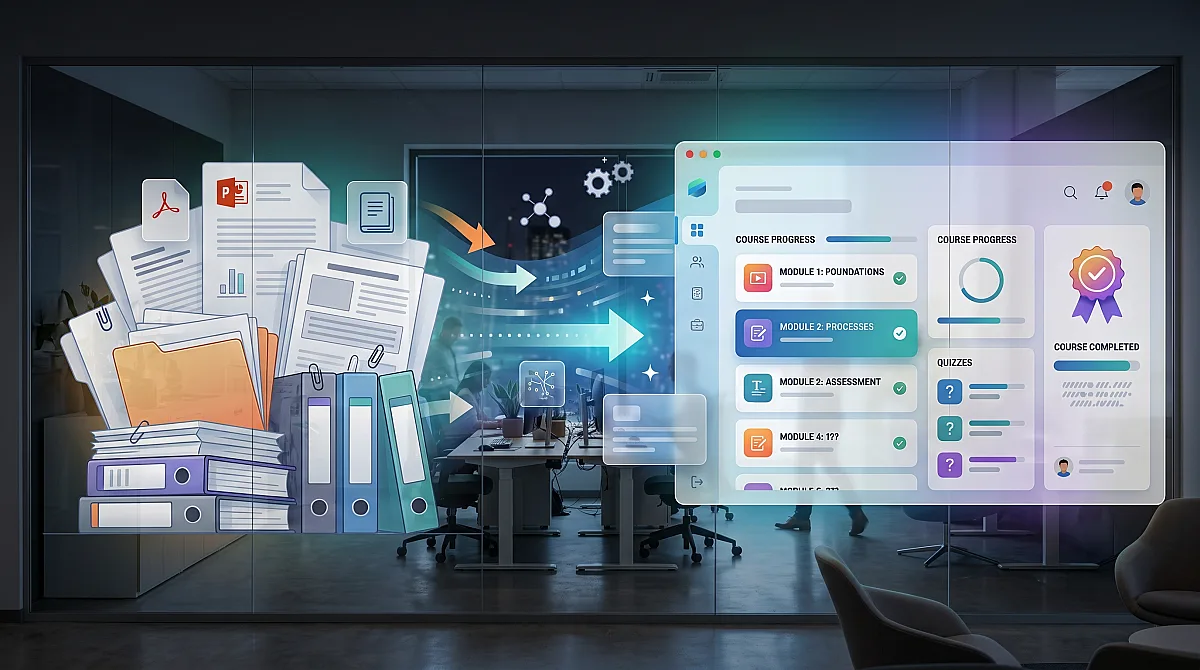
Most companies do not have a knowledge problem.
They have a format problem.
The knowledge already exists. It is sitting in PDF documents, PowerPoint presentations, onboarding manuals, safety instructions, internal policies, product documentation and shared folders.
The problem is that these materials were usually not created for learning.
They were created for storing information.
And storing information is not the same as training people.
A 40-page PDF may contain everything an employee needs to know. But that does not mean the employee will read it, understand it, remember it or apply it correctly.
That is why more companies are looking for ways to convert PDFs and internal documents into real online training courses.
Not just upload a file into a system.
Not just attach a document and call it e-learning.
But turn existing material into structured lessons, knowledge checks, certificates, completion tracking and audit-ready evidence.
This article explains how to convert a PDF into an online training course properly - and what to avoid if you want the result to work in real corporate training.
Why PDFs Are Not Enough for Employee Training
PDFs are useful.
They are easy to create, easy to send and easy to store. They work well for policies, manuals, instructions and formal documentation.
But as a training format, PDFs have several problems.
First, they are passive. An employee opens the file, scrolls through it and closes it. The company may know that the file was sent, but not whether the person understood the content.
Second, PDFs do not naturally guide learning. Long documents often mix background information, legal text, process details, examples and exceptions in one place. For a new employee, it can be difficult to know what is essential and what is only additional context.
Third, PDFs do not test knowledge. If there is no quiz, scenario or knowledge check, the organization has no practical way to verify understanding.
Fourth, PDFs are difficult to track. Sending a document by email does not create reliable training evidence. During an audit, inspection or internal review, “we sent them the PDF” is much weaker than “this person completed this course, passed this test and received this certificate on this date.”
This is the key difference.
A PDF distributes information.
An online course manages learning.
This is also why so many companies end up with a cemetery of PDF documents and 80-slide presentations - valuable knowledge stored in formats employees rarely complete properly.
What Does It Mean to Convert a PDF Into an Online Course?
Converting a PDF into an online training course does not mean copying the document page by page into a learning platform.
That usually creates a bad course.
A good online course restructures the material into a format that employees can actually complete.
This usually includes:
- clear learning objectives,
- shorter lessons or chapters,
- simplified explanations,
- practical examples,
- knowledge checks,
- quiz questions,
- correct and incorrect answer options,
- completion tracking,
- certificates,
- reminders,
- reporting,
- and an audit trail.
The goal is not to make the PDF look prettier.
The goal is to turn static content into a managed learning experience.
Step 1: Start With the Right Document
Not every PDF should become a course.
Some documents are reference materials. Some are legal records. Some are too technical, outdated or badly structured.
Before converting a PDF into training, ask three questions:
- Who needs to understand this material?
- What should they be able to do after completing the training?
- Do we need evidence that they completed it?
If the answer to the third question is yes, the document is a strong candidate for conversion into an online course.
Good examples include:
- onboarding manuals,
- health and safety instructions,
- fire safety materials,
- cybersecurity policies,
- data protection guidelines,
- internal procedures,
- product training,
- customer service standards,
- sales playbooks,
- role-specific operating manuals,
- and compliance training materials.
If employees need to complete it, understand it and prove completion, it should not remain only as a PDF.
Step 2: Break the Content Into Logical Lessons
Most PDFs are too long to be used as one training block.
The first step is to split the material into smaller sections.
For example, a cybersecurity policy might become:
- Introduction to cybersecurity risks
- Password and access rules
- Phishing and suspicious emails
- Handling company devices
- Reporting incidents
- Final knowledge check
This structure is easier for employees to follow.
It also makes the course easier to update later. If one section changes, you do not need to rebuild the entire course.
A good rule is simple:
One lesson should explain one clear topic.
If a lesson tries to explain five different things at once, employees will not remember them.
Step 3: Rewrite the Content for Learning
A PDF often contains formal, dense or legal-style language.
That may be acceptable for documentation, but it is usually bad for learning.
When converting the material into an online course, the text should be rewritten into clearer learning language.
For example:
Original PDF style:
“Employees are required to comply with the organization’s information security policy and must not disclose confidential information to unauthorized third parties.”
Training style:
“Do not share confidential company information with anyone who is not authorized to see it. This includes clients, suppliers, former employees and people outside the company.”
The meaning stays the same.
The format becomes easier to understand.
This is where AI can help significantly. It can create a first version of simplified course content from the original document. But the final review should stay with the responsible person — HR, compliance, legal, safety, IT or another subject-matter expert.
AI can accelerate the process.
It should not become the final approver.
For companies asking whether AI can really help them create courses faster, the answer is yes - but only when it is used as a controlled assistant, not as an uncontrolled publisher. You can read more about this workflow in our article on how AI helps create courses faster.
Step 4: Add Knowledge Checks and Quiz Questions
A course without a test may still be useful.
But for corporate training, especially compliance-related training, knowledge checks are often essential.
They help answer a simple question:
Did the employee understand the important parts?
A good quiz should not only ask people to repeat definitions. It should check whether they can apply the knowledge.
For example, instead of asking:
“What is phishing?”
A better question is:
“You receive an email asking you to confirm your password through a link. The sender looks similar to your company’s IT department, but the email address is slightly different. What should you do?”
This type of question is closer to real work.
When converting PDFs into online training, quiz questions should be generated from the actual content, then reviewed by an expert.
A good learning platform should help create:
- multiple-choice questions,
- correct answers,
- plausible incorrect answers,
- explanations,
- pass thresholds,
- and final test results.
This is where many HR teams lose time manually.
Writing questions from a policy document can take hours. AI can reduce this work dramatically by preparing the first draft.
That is why manually creating tests from internal documents is often one of the most expensive hidden tasks in training administration. We wrote more about this in our article on why companies should stop wasting days generating quiz questions.
Step 5: Add Audio or Alternative Learning Formats
Not every employee learns best by reading.
Some people complete training more effectively when they can listen to the content. Others prefer shorter lessons, summaries or scenario-based learning.
If your LMS supports it, consider turning the same source material into:
- short lessons,
- audio learning,
- summaries,
- practical scenarios,
- and quick recap sections.
This is especially useful for onboarding, operational training and mobile employees.
The point is not to create entertainment.
The point is to make the training easier to complete and easier to remember.
If the only available format is a long PDF, many employees will treat it as a formality. If the same content becomes a structured course with audio and knowledge checks, completion and understanding usually become easier to manage.
Step 6: Keep Expert Review in the Process
This step is critical.
If a PDF contains compliance, safety, legal, technical or product information, the converted course should be reviewed before publication.
AI can help with speed, but accountability still belongs to the organization.
A proper workflow should look like this:
- Upload the source material.
- Generate the course draft.
- Generate quiz questions.
- Review the content internally.
- Approve the final version.
- Publish the course.
- Track completion and results.
This gives companies the advantage of automation without losing control.
For sensitive training, this matters.
The goal is not to let AI decide what employees should learn.
The goal is to help HR and experts turn existing knowledge into usable training faster.
Step 7: Publish, Assign and Track the Training
Once the course is ready, it should be assigned to the right employees.
This is where an LMS becomes more valuable than a simple course creation tool.
A real learning management system should help manage:
- who needs to complete the training,
- by what deadline,
- whether reminders should be sent,
- what score is required,
- whether a certificate is issued,
- whether the training must repeat later,
- and where the completion evidence is stored.
This is especially important for onboarding and compliance.
For example:
A new employee joins the company.
They need to complete:
- company onboarding,
- health and safety training,
- cybersecurity training,
- data protection training,
- role-specific procedures,
- and internal policy training.
If this is managed manually, HR has to chase people, send links, check spreadsheets, collect certificates and remind managers.
If it is managed through an LMS, the process becomes structured and trackable.
That is the real value of converting PDFs into online courses.
Not just better-looking content.
A better process.
This is also the difference between a basic training tool and a proper learning management system. If you are comparing tools, read our guide on learning management system vs training software.
Step 8: Use Certificates and Audit Evidence
For many companies, training is not complete until it can be proven.
This is especially true for regulated industries, safety training, compliance training and client audits.
A good online course should produce evidence such as:
- user name,
- course name,
- completion date,
- test result,
- certificate,
- training version,
- and audit log.
This matters because companies are often asked to prove who completed what and when.
A PDF cannot do that by itself.
An LMS can.
This is one of the strongest reasons to convert static documents into trackable online training.
Common Mistakes When Converting PDFs Into Courses
The biggest mistake is simply uploading the PDF and calling it training.
That may be technically online, but it is not a real course.
Other common mistakes include:
- keeping the course too long,
- copying the PDF without restructuring it,
- using legal language without explanation,
- creating questions that are too easy,
- failing to review AI-generated content,
- not assigning course ownership,
- not setting deadlines,
- not using reminders,
- not issuing certificates,
- and not tracking completion properly.
The result is predictable.
Employees click through the material, HR still chases completion manually, and the company has weak evidence of learning.
A converted course should be shorter, clearer, testable and trackable.
Otherwise, the PDF problem has only moved into another system.
And when that happens, the company may still carry the same hidden costs: manual reminders, duplicated work, weak evidence, lost time and poor visibility. This is one of the reasons why the real cost of training is often higher than it looks. We explain this in more detail in our article on whether a modern LMS can reduce training costs.
Where AI Helps Most
AI is useful in PDF-to-course conversion because much of the work is repetitive.
It can help:
- extract the structure of the document,
- identify key topics,
- turn long paragraphs into lessons,
- simplify complex wording,
- generate summaries,
- create quiz questions,
- generate answer options,
- suggest explanations,
- and prepare audio-friendly scripts.
This saves time.
But AI should be used with a controlled workflow.
The best approach is not “AI creates and publishes everything.”
The best approach is:
AI prepares.
Humans review.
The LMS delivers and tracks.
Humans review.
The LMS delivers and tracks.
This gives companies speed without losing responsibility.
When Should You Convert a PDF Into Online Training?
You should consider converting a PDF into an online course when:
- employees are expected to read and understand it,
- the content is part of onboarding,
- completion needs to be tracked,
- the company needs proof for audits or inspections,
- the material is reused frequently,
- HR repeatedly sends the same document manually,
- managers keep explaining the same process,
- or the document is important but nobody really reads it.
If a document matters enough to send to employees, it may matter enough to become proper training.
How Elevia Helps
Elevia helps companies turn existing training materials into structured online learning.
Instead of starting from a blank page, HR teams can use the materials they already have — PDFs, documents, presentations, policies or manuals — and transform them into courses with lessons, tests, audio learning, certificates and completion tracking.
The workflow is simple:
- Upload your material.
- Generate a structured course.
- Review and approve the content.
- Add or adjust quiz questions.
- Assign the course to employees.
- Track completion and results.
- Store certificates and audit evidence.
This is useful for onboarding, compliance training, internal policies, product training, safety instructions and recurring employee education.
The goal is not to replace your experts.
The goal is to stop wasting their time turning documents into training manually.
Final Thought
Your company knowledge is already there.
It is just trapped in formats people do not complete properly.
A PDF can store information.
But a course can teach, test, track and prove it.
That is the difference.
If your organization still sends employees long documents and hopes they read them, it may be time to turn those documents into real training.
Send us one PDF, PowerPoint deck or internal document.
We will show you how it can become a structured online course in Elevia — with lessons, quiz questions, completion tracking and certificates.
No generic demo.
Your material.
Your course.
Your training workflow.
Your course.
Your training workflow.
FAQ
Can I convert a PowerPoint presentation into an online course?
Yes. PowerPoint presentations are often good source materials for online training. However, they should usually be restructured into lessons, examples and knowledge checks instead of being copied slide by slide.
Can AI create quiz questions from a PDF?
Yes. AI can generate quiz questions, answer options and explanations from a PDF or internal document. The questions should still be reviewed by a responsible expert before the course is published.
Is uploading a PDF into an LMS enough?
Usually not. Uploading a PDF makes the document available online, but it does not automatically create a proper learning experience. A real course should include structure, guidance, testing, tracking and completion evidence.
What types of documents can become online training?
Common examples include onboarding manuals, policies, safety instructions, compliance materials, cybersecurity guidelines, product documentation, operating procedures and internal training decks.
Do I need an instructional designer to convert PDFs into courses?
Not always. For complex strategic programs, instructional design expertise can be useful. But for many internal training needs, AI-powered tools can help HR and subject-matter experts create structured courses much faster from existing materials.
Can converted courses include certificates?
Yes. If the course is managed through an LMS, it can include completion tracking, test results and certificates. This is especially useful for compliance training, onboarding and audit evidence.